
Imp Translate
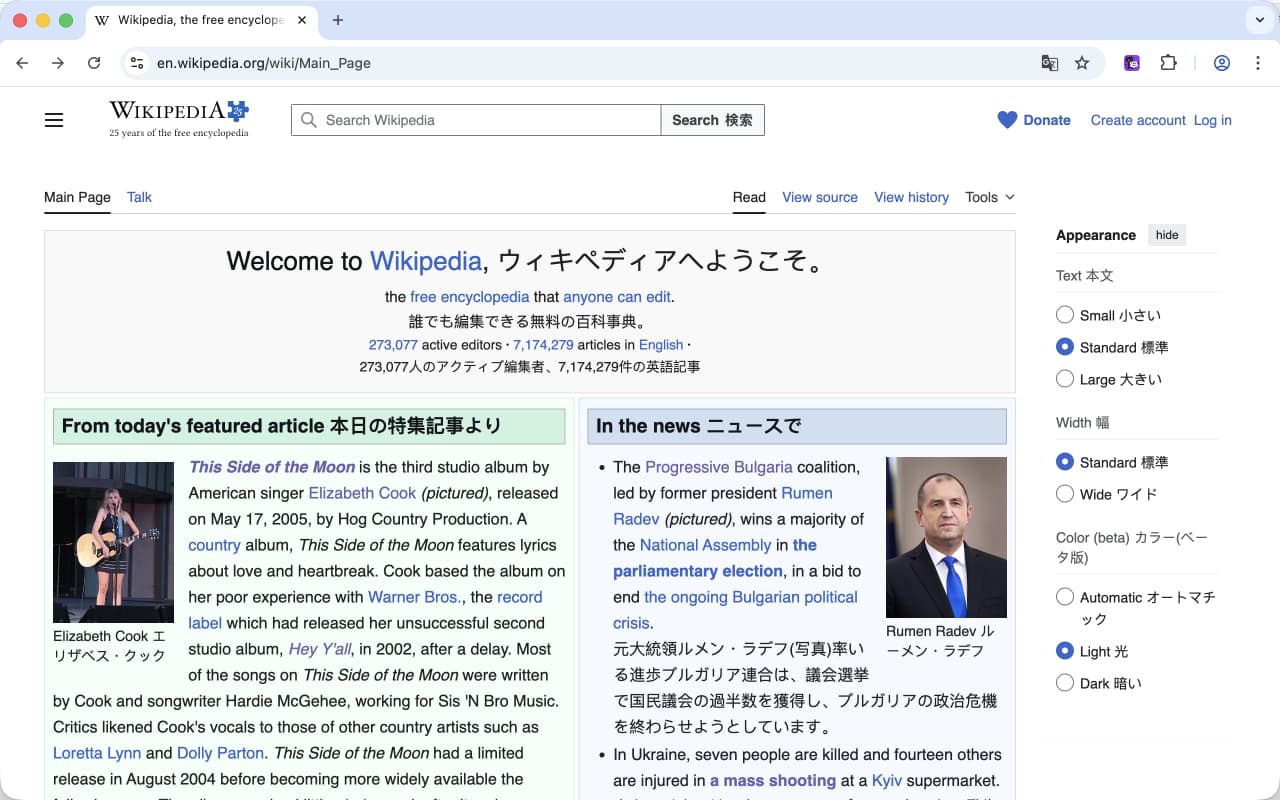
A cross-platform browser extension that translates web pages with bilingual display.
Imp Translate
An open-source, cross-platform browser extension for bilingual web page translation. Minimal by design.
Why Imp Translate?
Most translation extensions either replace the original text (so you lose context) or inject heavy UI on every page (popups, floating buttons, hover lookups). Imp Translate does one thing: translate the page when you ask, show both languages side by side, and stay out of the way the rest of the time.
Features
- Bilingual display: translations appear below the original — the source text always stays visible
- Zero overhead by default: no code is injected into any page until you toggle translation
- Multi-provider: works with OpenAI-compatible APIs, Google, and Microsoft translation
- Smart DOM walker: only translates visible content, handles SPAs, lazy-loaded content, and dynamic text changes
- Site-specific rules: uBlock Origin-inspired syntax for skipping or targeting content areas
- Cross-platform: Chrome, Edge, Firefox, Safari — including mobile
Non-Goals
Imp Translate intentionally avoids:
- Auto-injected UI (floating buttons, hover popups)
- In-place replacement translation
- Word or sentence-level translation (selection, lookup, dictionaries)
- Input box translation, video subtitle translation, document translation
- Custom translation styling
Installation
- Chrome Web Store — https://chromewebstore.google.com/detail/imp-translate/nmbcckfgobecechfdamananmfnnjbbbd
- App Store (Safari) — https://apps.apple.com/app/imp-translate/id6764317525
How to Use
- Install the extension
- Configure your preferred target language and translation provider in the options page
- Click the toolbar icon on any page to toggle translation — translations appear below the original text
- Click again to remove translations and return to the original page
Site Rules
Built-in rules live in lib/rules.txt using uBlock Origin-inspired syntax:
domain##selector    — skip (do not translate) matching elements
domain#+#selector   — include (only translate inside) matching elements
entity.*            — match any TLD via Public Suffix List
Users can add custom rules via Developer Mode in the options page. The repo also ships a Claude Code skill (/add-site-rules <url>) that automates inspecting a page and appending the missing selectors.
Privacy
Translation requests are sent to the provider you configure (Google, Microsoft, or your OpenAI-compatible endpoint). No request goes anywhere else, and no code runs on a page until you toggle translation on.
Support
- Report bugs on GitHub Issues
- Contact: rxliuli@gmail.com
License
This project is open source and available under the GPL-3.0 License © 2026 rxliuli