
Art to GIF
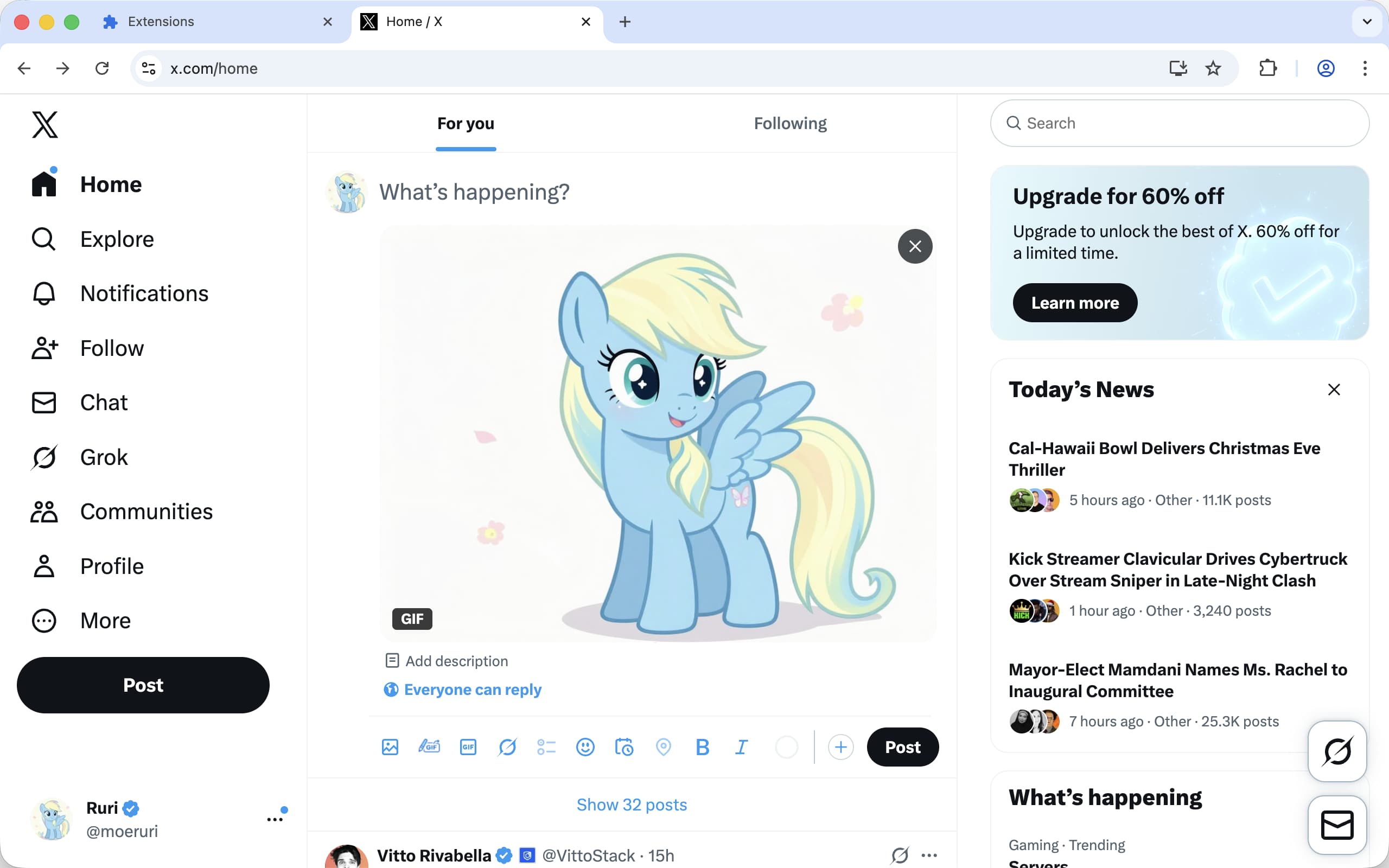
Protect your artwork on Twitter/X by automatically converting images to GIF or Video format.
Art to GIF
Protect your artwork on Twitter/X by automatically converting images to GIF or Video format. Both formats help protect your art from unauthorized AI modifications while offering different advantages based on your needs.
Why Art to GIF?
AI editing tools on Twitter/X can’t process GIF or video files, making them an effective way to protect your artwork from unauthorized modifications. This extension seamlessly converts your static images into protected formats while maintaining quality.
Features
- One-Click Conversion: Convert images to GIF or Video format with a single click
- Multiple Format Options: Choose between GIF (15MB limit) or Video (512MB limit)
- High Quality: Maintains original image quality with smart compression
- Seamless Integration: Works directly within Twitter/X’s post composer
- Easy to Use: No complex settings or configuration required
- Privacy-First: All conversions happen locally in your browser
Installation
The extension is available for multiple browsers:
- Chrome Web Store - https://chromewebstore.google.com/detail/art-to-gif/ieaaafobhbfkdamlidcookclikabngok
- Microsoft Edge Add-ons - https://microsoftedge.microsoft.com/addons/detail/art-to-gif/mhkdchgbgfefbcgajfihdonajafhckan
- Firefox Add-ons - https://addons.mozilla.org/firefox/addon/art-to-gif/
- Safari Extensions - https://apps.apple.com/app/id6756991514
How to Use
- Install the extension in your browser
- Go to Twitter/X (x.com)
- When creating a post, look for the conversion button next to the image upload button
- Click the conversion button and select your artwork image (PNG/JPG)
- The extension will automatically convert it to your chosen format (GIF or Video)
- Post as usual - your art is now protected from AI editing tools!
The conversion happens seamlessly in the background, creating a short loop from your static image.
Format Options
You can choose between two conversion formats in the extension settings:
GIF Format
- File size limit: 15 MB
- Color depth: 256 colors maximum
- Resolution: Maximum 2048x2048
- Best for: Wide compatibility, smaller images
Video Format (MP4/WebM)
- File size limit: 512 MB
- Color depth: Millions of colors
- Compression: Better compression efficiency
- Best for: Higher quality, larger images, better compression
Why Video Instead of GIF?
- Better file size limits: Twitter allows up to 512MB for videos vs 15MB for GIFs
- Smaller file sizes: Modern video codecs compress much better than GIF
- Better quality: Videos support millions of colors instead of GIF’s 256 color limit
- Same protection: AI editing tools still can’t process video files
Privacy
Art to GIF processes all conversions locally in your browser. No images are uploaded to external servers, ensuring your artwork remains private and secure.
Support
If you encounter any issues or have feature requests, please:
- Join our Discord Community
- Report bugs on GitHub Issues
- Contact: rxliuli@gmail.com
License
This project is licensed under the GPL-3.0 License © 2025 rxliuli