
App Store Connect Release Blocked by New Required Fields
Background
Today, after fixing a bug in the Redirector extension, I pushed a release that triggered a CI build and published to every platform via extport. During the extport publish, a mysterious error showed up.
macos: submission item add failed (409): { "errors" : [ { "id" : "607f4cc4-96af-4d99-ae60-78bb87489e8a", "status" : "409", "code" : "STATE_ERROR.ENTITY_STATE_INVALID", "title" : "appStoreVersions with id '652e9da7-e899-4244-904f-3c1dccacef56' is not in valid state.", "detail" : "This resource cannot be reviewed, pleas…It pointed me to App Store Connect, where I found that submitting the version required some info I’d never had to fill in before:
-
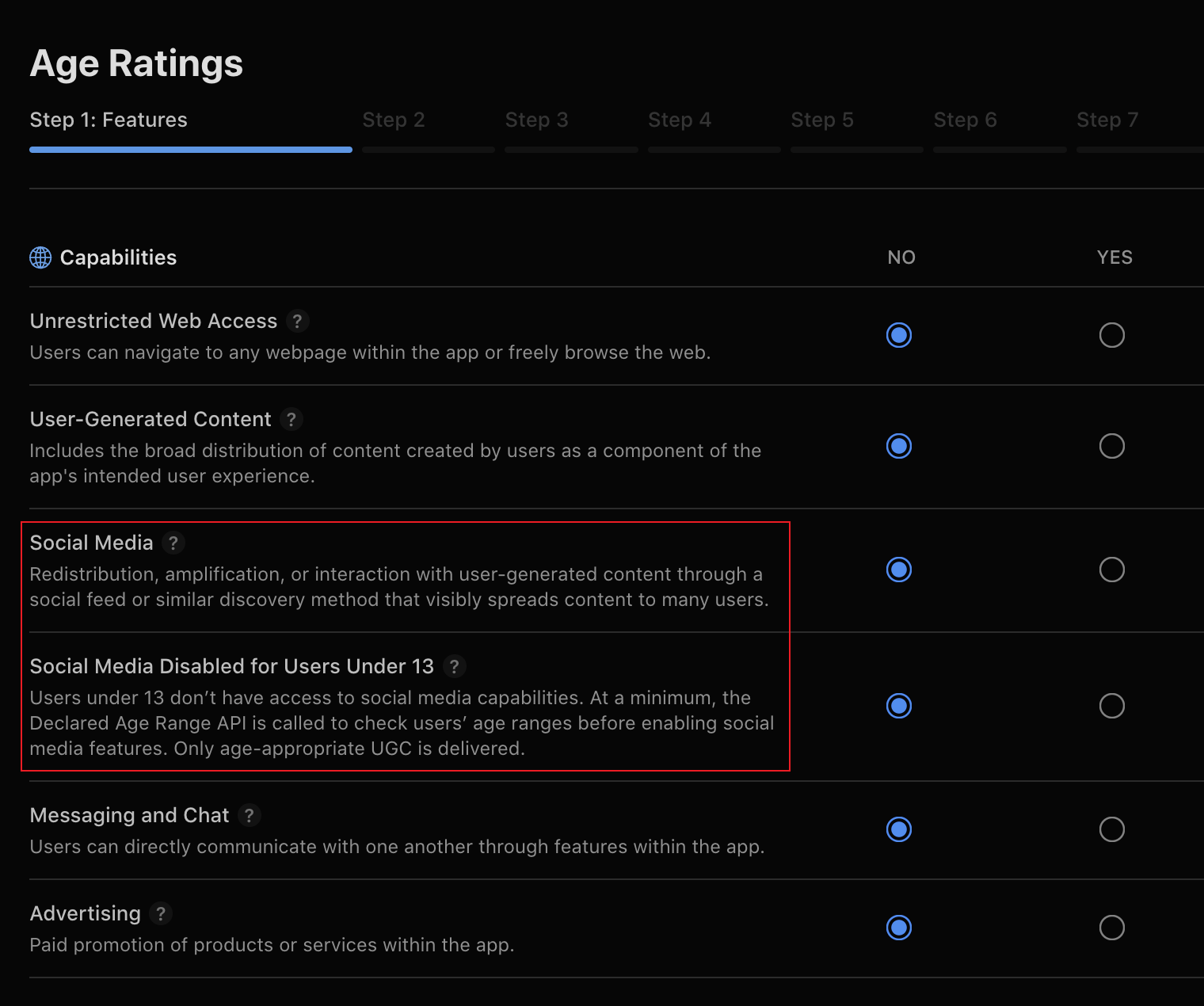
App Information > Age Ratings added a new required Social Media field.
-
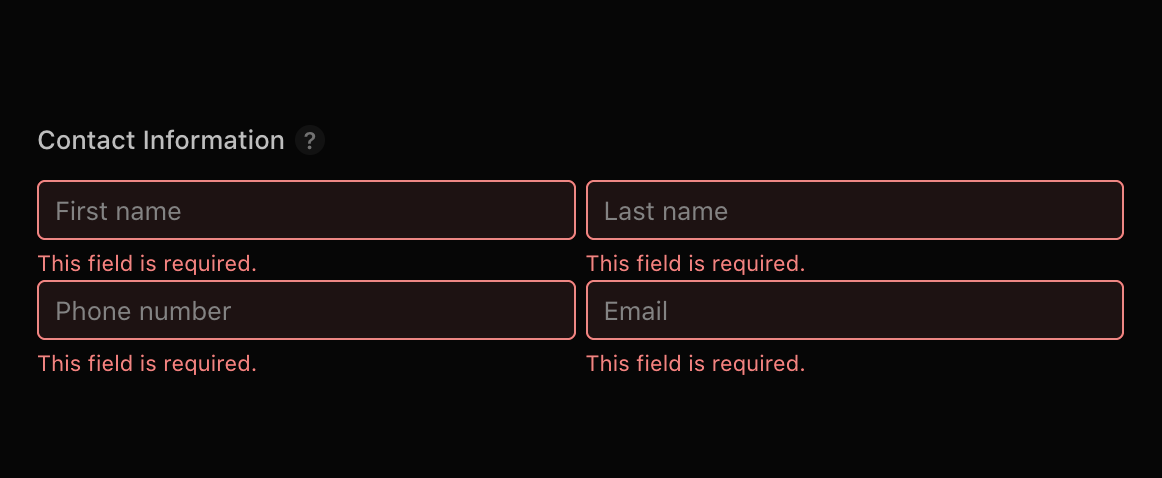
inflight > Contact Information: this used to be optional, and now it blocks the submission.
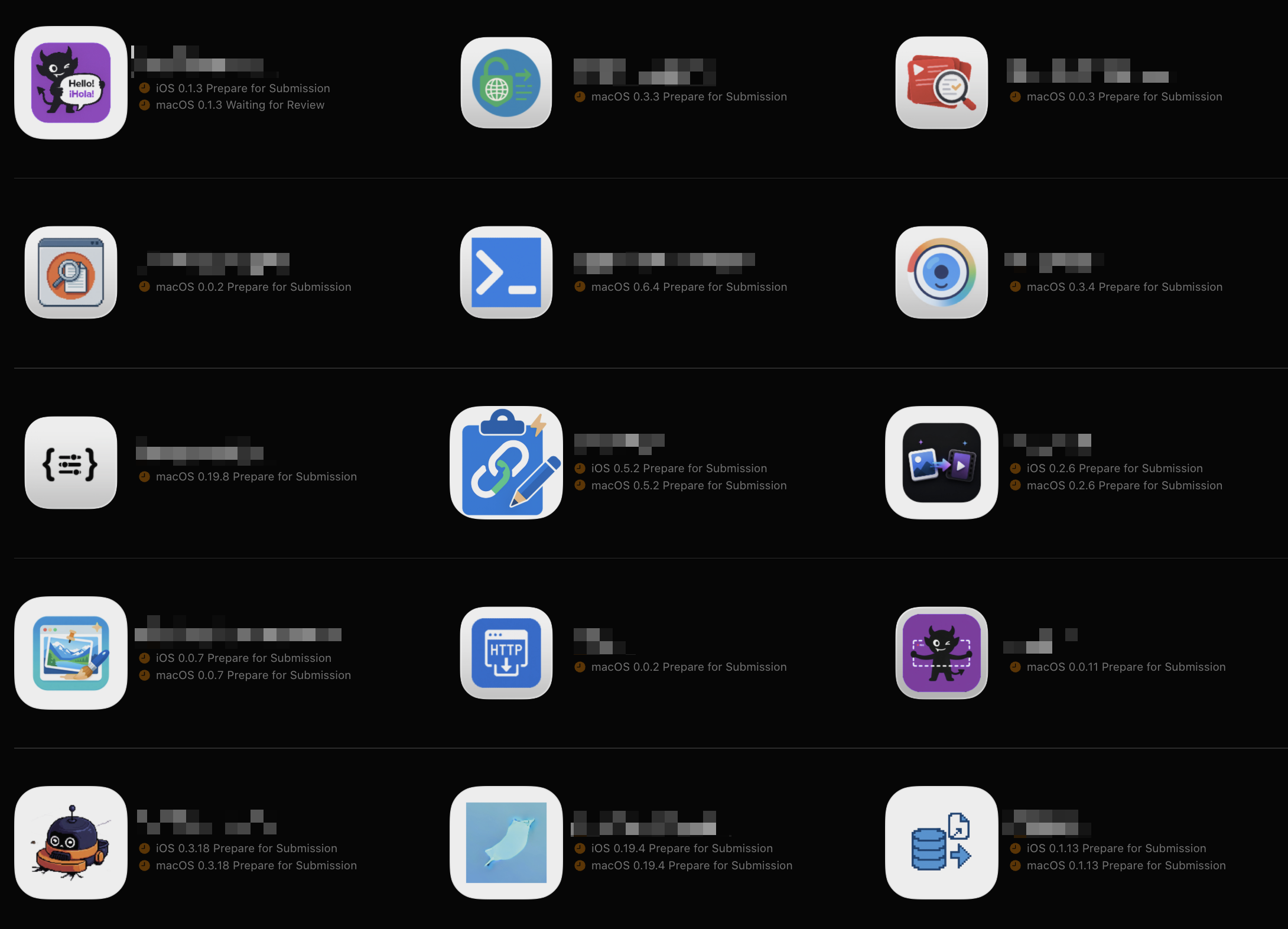
Even after I fixed these manually in App Store Connect, extport still couldn’t retry the release. I hardened extport’s logic and documented the incident in its docs. After completing the retry by hand, I couldn’t stop thinking: I have more than twenty iOS/macOS apps already published. How do I batch-fix all of them to avoid the same incident next time?
Process
I tried using pi agent with the Chrome DevTools MCP to drive the browser. My original plan was to click through each page and inspect the UI state. But ds v4 flash turned out to be far more aggressive: it reverse-engineered the fetch requests and replayed them as a JS script, without ever touching the HTML pages to inspect or modify App Store Connect info. For example, this code can be pasted straight into the App Store Connect console to show which apps are missing required info:
// Check the Age Ratings (Social Media) and the inflight version's Contact Information for every app.
// Read-only — it doesn't change anything. Usage: log into appstoreconnect.apple.com, then paste and run in the F12 console.

const API = 'https://appstoreconnect.apple.com/iris/v1'
const H = { Accept: 'application/json' }

// Edit-in-place version states (inflight — fields editable)
const INFLIGHT = new Set([
  'PREPARE_FOR_SUBMISSION',
  'WAITING_FOR_REVIEW',
  'IN_REVIEW',
  'REJECTED',
  'DEVELOPER_REJECTED',
  'ACCEPTED',
  'READY_FOR_REVIEW',
])

async function get(path) {
  const res = await fetch(API + path, { credentials: 'include', headers: H })
  if (!res.ok) throw new Error(res.status + ' ' + path)
  return res.json()
}

;(async () => {
  const { data: apps } = await get('/apps?limit=200')
  const active = apps.filter((a) => !a.attributes.removed)
  console.log('Total active apps: ' + active.length + '\n')

  for (const app of active) {
    console.log('== ' + app.attributes.name + ' [' + app.id + ']')
    try {
      // 1. Age rating: find the appInfo that's being edited
      const ai = await get(
        '/apps/' + app.id + '/appInfos?include=ageRatingDeclaration',
      )
      const editable = (ai.data || []).find((i) =>
        INFLIGHT.has(i.attributes.state),
      )
      const rel = editable && editable.relationships.ageRatingDeclaration.data
      const ard = rel && (ai.included || []).find((i) => i.id === rel.id)
      const sm = ard && ard.attributes.socialMedia
      const smr = ard && ard.attributes.socialMediaAgeRestricted
      console.log(
        '  Social Media: ' +
          (sm == null ? 'not set' : sm ? 'YES' : 'NO') +
          ' | Disabled <13: ' +
          (smr == null ? 'not set' : smr ? 'YES' : 'NO'),
      )

      // 2. Contact: find the inflight version
      const vs = await get('/apps/' + app.id + '/appStoreVersions?limit=10')
      const inflight = (vs.data || []).filter((v) =>
        INFLIGHT.has(
          v.attributes.appVersionState || v.attributes.appStoreState,
        ),
      )
      if (inflight.length === 0) {
        console.log('  Contact: no inflight version')
      } else {
        for (const v of inflight) {
          const rd = await get(
            '/appStoreVersions/' + v.id + '/appStoreReviewDetail',
          )
          const a = rd.data && rd.data.attributes
          const ok = a && a.contactFirstName && a.contactEmail
          console.log(
            '  Contact [' +
              v.attributes.platform +
              ' ' +
              v.attributes.versionString +
              ']: ' +
              (ok ? 'set' : 'not set'),
          )
        }
      }
    } catch (e) {
      console.log('  Error: ' + e.message)
    }
    console.log('')
  }
})()
I hit a few problems along the way. For instance, you can only modify App Information and Contact Information when there’s a new version, so I had to create a patch version for every app that needed changes — even though I didn’t upload a build or release it. It should be picked up automatically on the next CI release and avoid the same error.
Conclusion
If you also maintain a lot of apps, consider being proactive: fill in all the required info ahead of time, so the next release doesn’t trip over it. I’ve also put together a script for easy reuse — you can have your agent read it and use the same approach to batch-fix this problem.